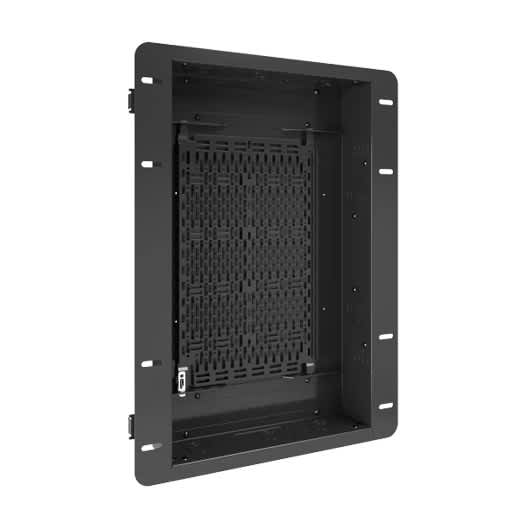
Crestron Modernizes Its Flagship Training Rooms With Chief Tempo In-Wall Mounts
Tempo Flat Panel In-Wall Mount System gave Crestron the stability, serviceability, and clean aesthetic needed to build a hands-on training room environment
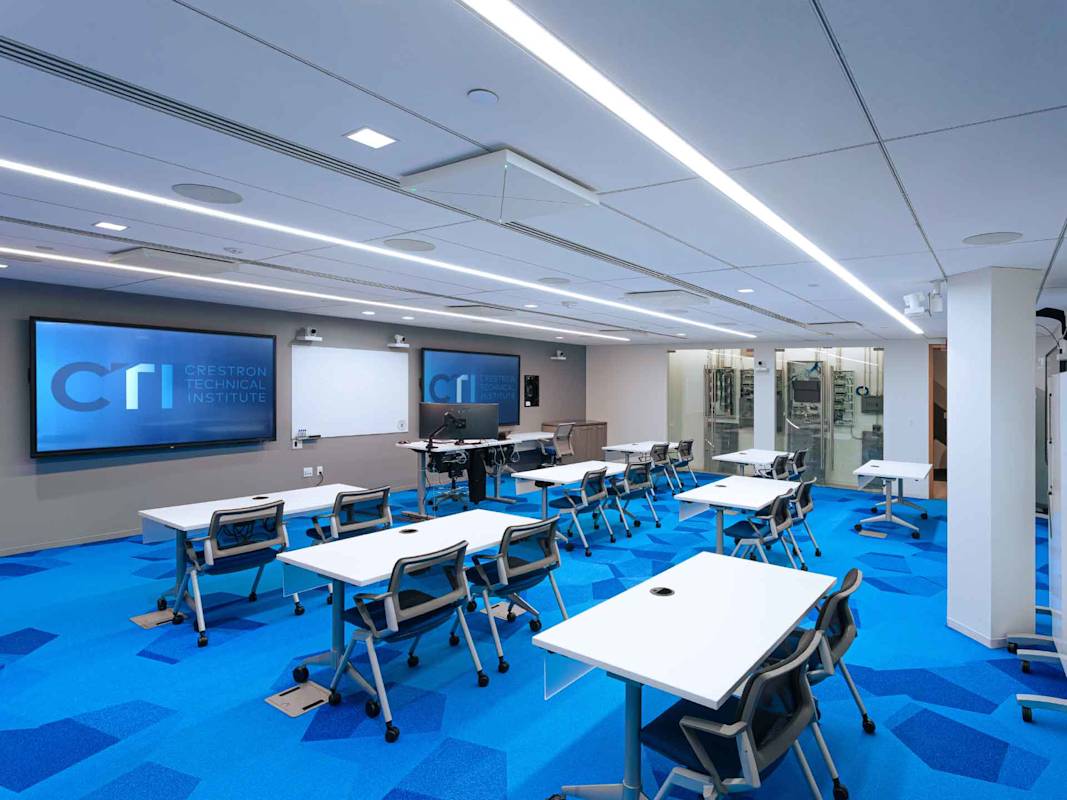
Crestron is one of the most recognized names in workplace collaboration technology and building automation. Its products power boardrooms, lecture halls, courtrooms, and even major-league sports stadiums around the world. At its headquarters in Rockleigh, New Jersey, the company operates the Crestron Technical Institute, a hands-on training facility where integrators, engineers, and technology professionals learn to install, configure, and deploy Crestron systems at a professional level.
That facility serves as a working demonstration of what Crestron believes modern technology infrastructure should look like. As a refresh cycle approached to address outdated displays and aging mounts, the selection of new solutions went beyond just functionality. The new environment needed to demonstrate, in practice, what a modern AV deployment can deliver.
What Crestron’s infrastructure team built, with the Chief Tempo™ Flat Panel In-Wall Mount System at its center, delivered on that goal. It also added something they hadn’t fully anticipated: a training room where the technology itself became part of the lesson.
What the Upgrade Actually Required
The training rooms had last been updated roughly ten years prior, with a pair of 86-inch displays and two 65-inch screens on traditional articulating wall mounts. For this next chapter of the CTI instructive, the interactive, hands-on courses would demand more out of the displays than the previous setup provided.
The plan called for five 98-inch LG CreateBoard touchscreens, large-format, multi-touch displays capable of supporting simultaneous input from multiple users at once. At that size and weight, traditional articulating mounts weren’t built for the job. Any flex or movement degrades the touch experience, and for a room designed to demonstrate precision AV, that wasn’t something the team could work around.
Two additional requirements shaped the install. First, Crestron wanted the DM NVX® AV-over-IP solutions visible to students rather than hidden behind the displays, staged in dedicated accessory boxes beside each screen so trainees could see the infrastructure they’d be specifying in the field. That meant accommodating an unconventional three-box configuration per position that no off-the-shelf product was designed for.
Second, the team needed easy serviceability. In a high-use training environment, displays and connected equipment get touched, adjusted, and updated constantly. Everything had to stay flush and professional from the front, all while allowing quick access from behind without pulling panels off the wall.
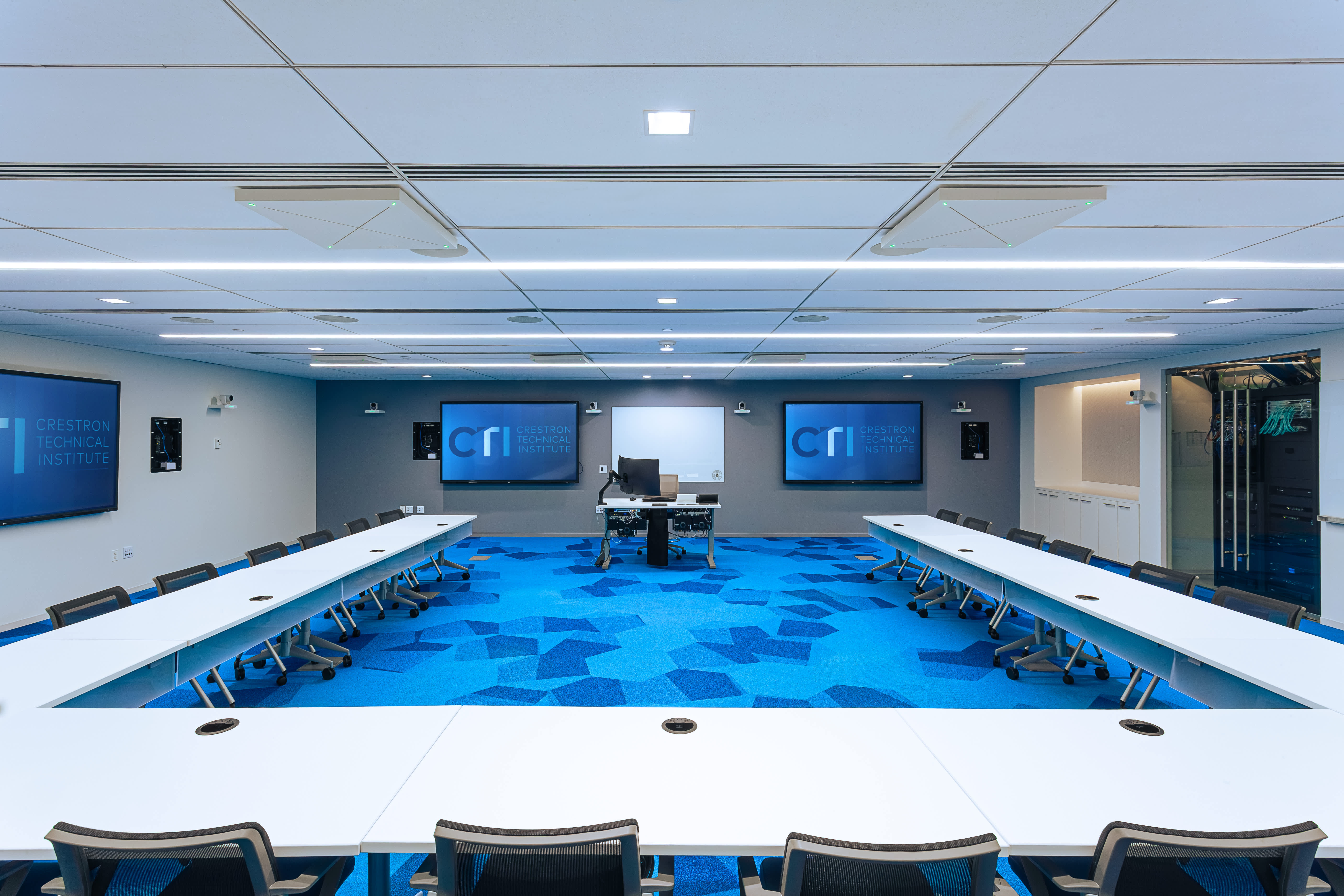
“When you’re training the people who install AV systems for a living, the room itself sets the standard,” said Alex Villiard, Principal Infrastructure Engineer, Training, Crestron. “We needed mounting that could handle 98-inch touch panels without any movement, support a custom layout that put the infrastructure on display, and let us get in and out for service without turning it into a project. That’s a specific set of requirements, and not every solution on the market could meet all three.”
Chief Tempo In-Wall: Built for Exactly This
Chief’s Tempo Flat Panel In-Wall Mount System was selected for all ten display positions. It keeps large displays tight to the wall, eliminates flex during touch interaction, and provides built-in service access without needing to remove the display. For a room built around 98-inch interactive panels, those weren’t nice-to-haves.
The three-box layout per position pushed the install team outside standard configurations. Using the Tempo system’s flexibility, they staged the DM NVX AV-over-IP solutions in dedicated accessory boxes outside the display footprint, keeping the wall clean and intentional while putting Crestron’s own control and distribution equipment front and center.
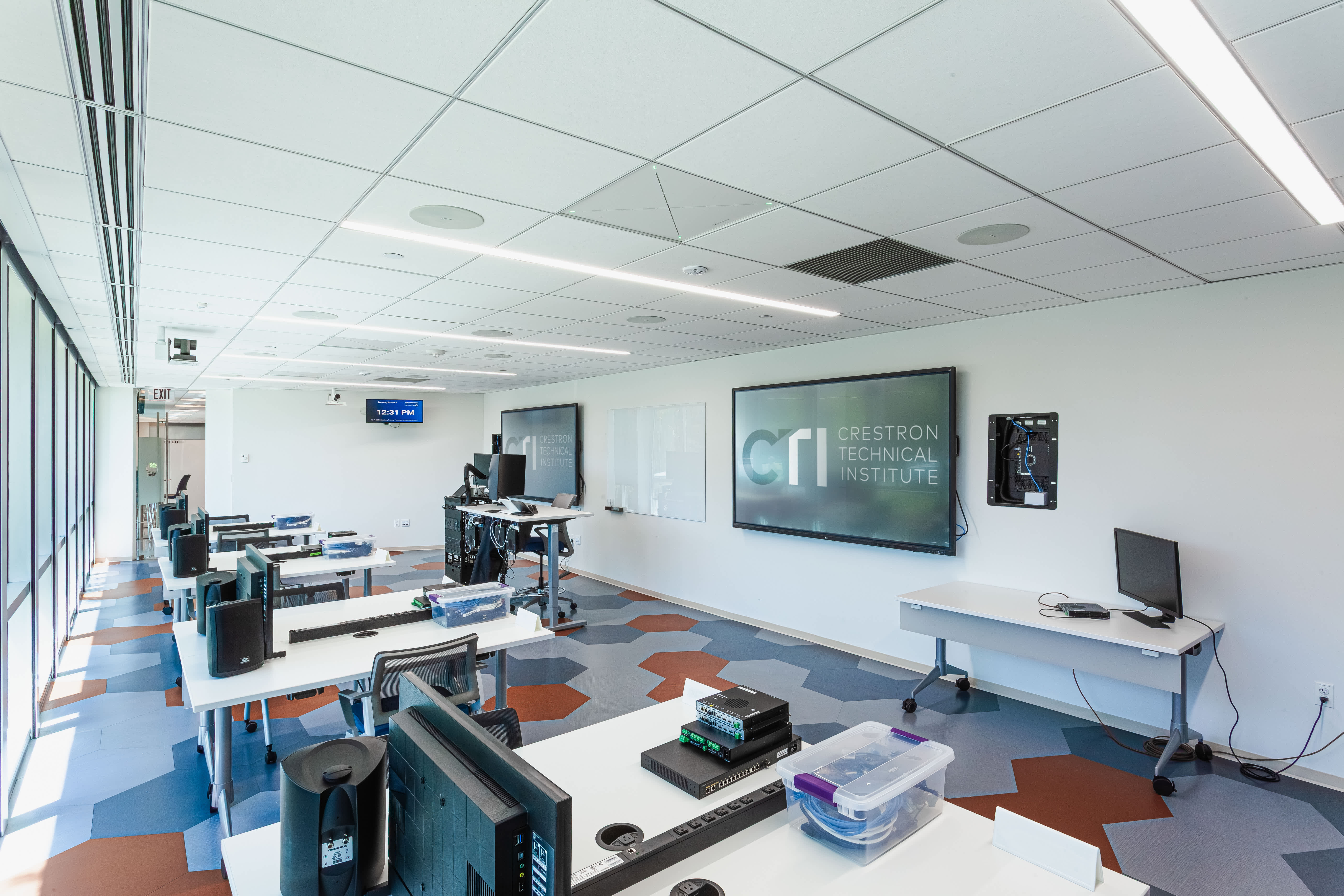
“The Chief Tempo Flat Panel In-Wall Mount System gave us the flexibility to build something that doesn’t exist as a standard configuration,” noted Villiard. “We needed three distinct boxes per display position, all flush, all aligned, all accessible from behind, and Tempo made that possible without compromising the stability we required for touch. Chief’s team worked through the custom layout with us, and the end result looks like it was always meant to be that way.”
A Room That Teaches by Showing Its Work
Five 98-inch interactive displays now line the walls, each supporting multiple simultaneous touch inputs, enabling collaborative exercises where several students can work on the same surface at once. The shift from passive viewing to active participation changes what a training session can actually accomplish.
Making the DM NVX AV-over-IP platform visible has had a real instructional effect. The exposed Crestron solutions generates conversations in the room, where students ask about the hardware they’re looking at and get hands-on context for systems they’ll be specifying in the field. Showing the work turns out to be better teaching than hiding it.
On the maintenance side, service access is built into the mount. Updates and adjustments happen without disassembly, keeping the room up and running between sessions.
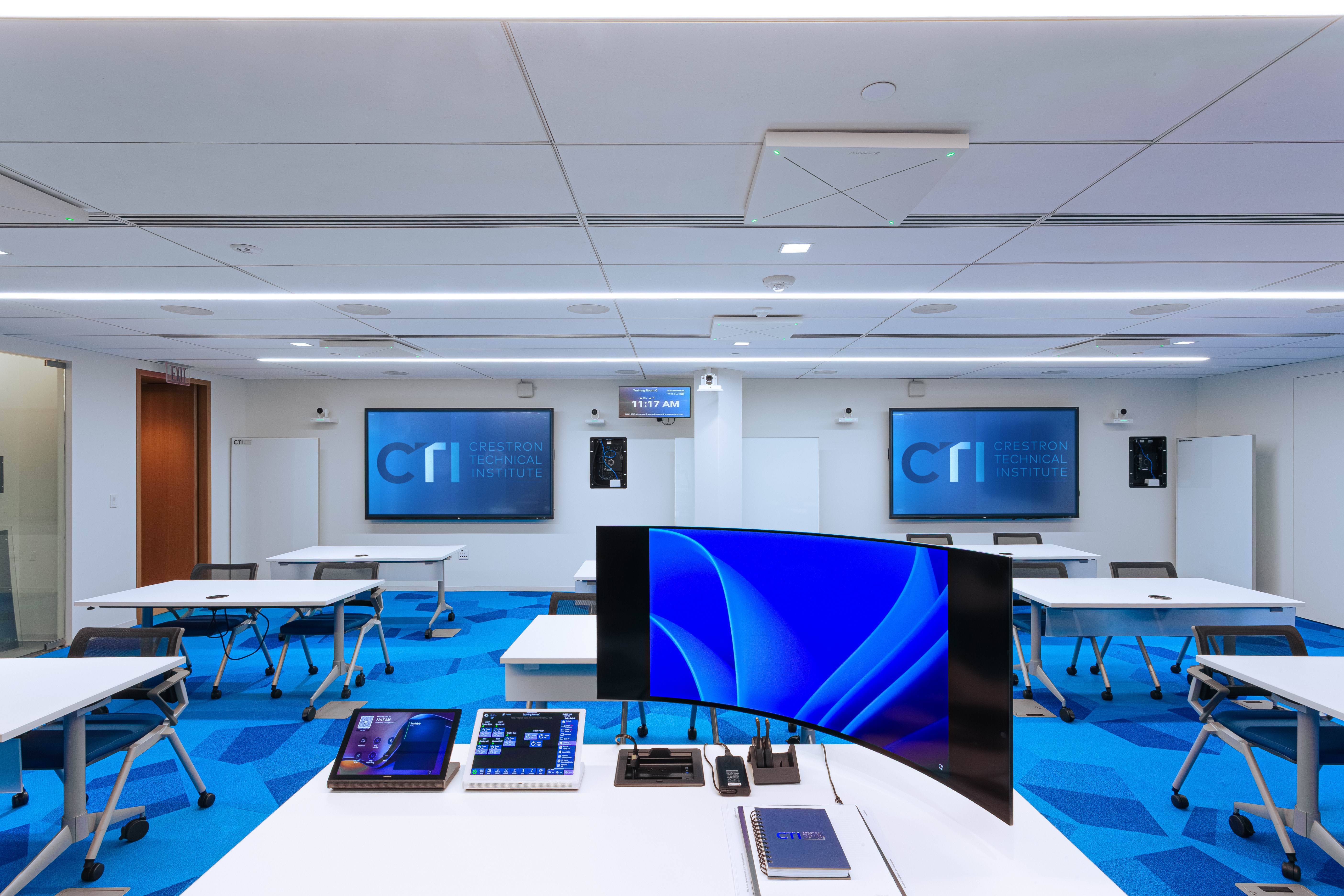
“The Crestron Technical Institute is where our customers come to learn how to build with our systems,” added Villiard. “The room they walk into should reflect our standards, and it does now. The touch experience is exactly what it should be, the infrastructure is visible and purposeful, and we can service everything without taking the room offline. That’s the environment we wanted to build.”
The Room Is the Curriculum. Chief Helped Build It.
Crestron’s training facility is a working proof of concept, not just for Crestron’s own products, but for what a well-executed AV environment looks like when every component is chosen with purpose. The Chief Tempo Flat Panel In-Wall Mount System doesn’t call attention to itself, which is the point: it lets the displays perform as designed, keeps the infrastructure accessible when needed, and gave the team the flexibility to build a layout that serves a real instructional goal.
For a company in the business of training the people who install and configure professional AV systems, that matters. The room is the curriculum. Chief helped build it.
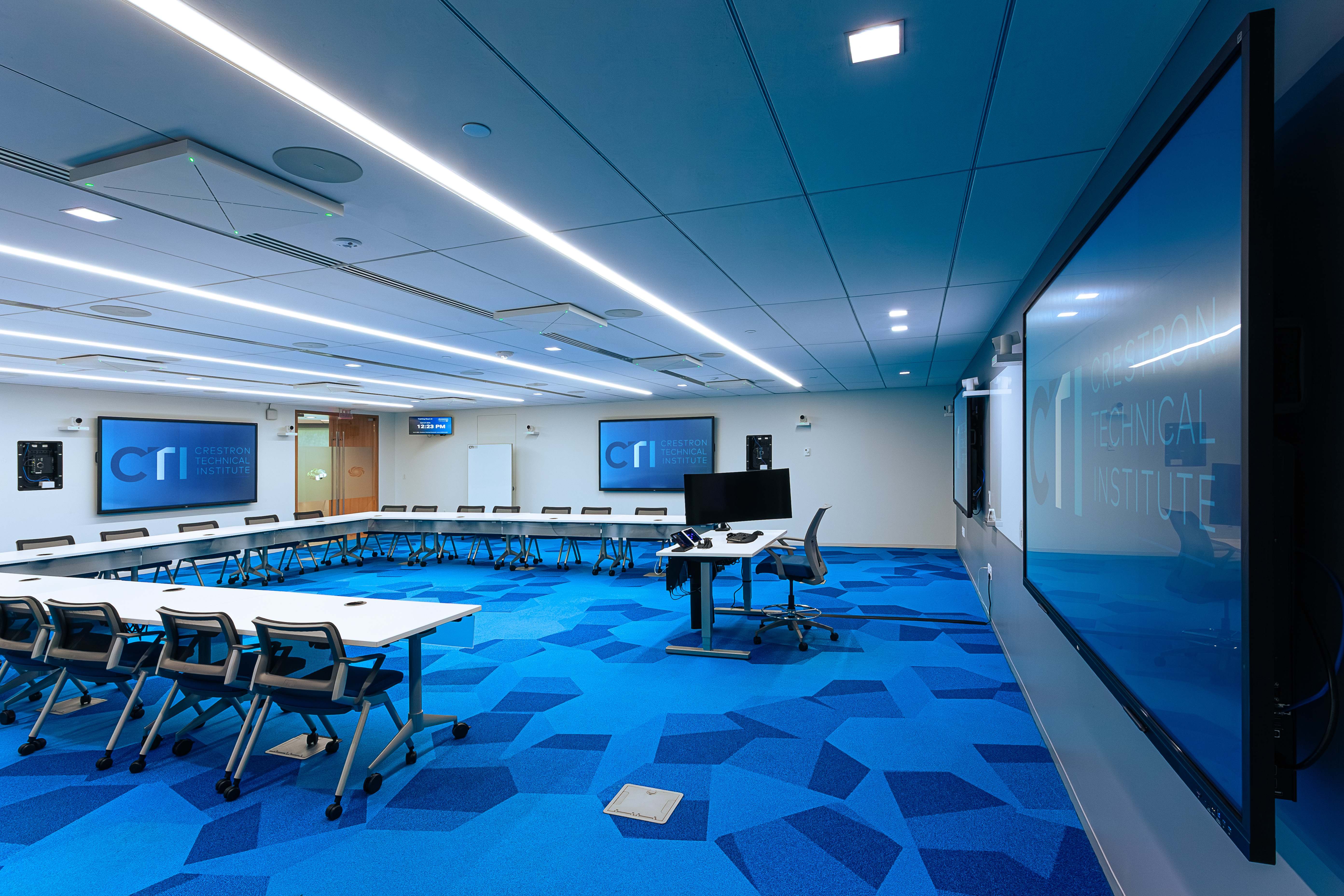
“What Crestron built in those training rooms is exactly what Chief mounts are designed to enable, a professional installation where the mounting solution supports the experience rather than limiting it,” said Dorian Haro, Product Manager, Legrand | AV. “Tempo was the right fit because it solved three distinct problems at once: stability for large-format touch displays, serviceability for a high-use environment, and the flexibility to support a custom layout that served a real instructional purpose. That’s the kind of deployment Chief is built for.”
Tempo™ Flat Panel In-Wall Mount System
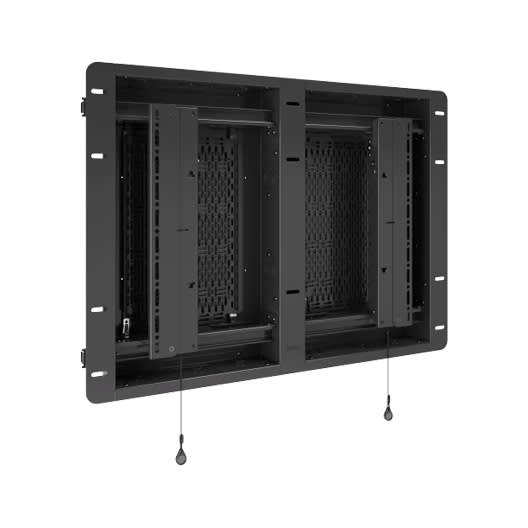
Tempo™ Flat Panel In-Wall Single Box Mount System
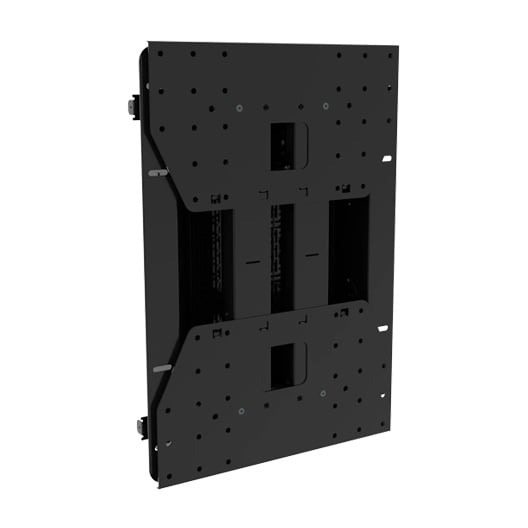
Tempo™ In-Wall AV Storage Box - 14"x23