How it feels for remote participants
As responses move across the table or classroom, SpeakerVIEW switches views smoothly to the active speaker. When someone remote speaks, you can show a wider shot of the room so everyone regains context. The experience is more natural and more equitable for people joining from anywhere.
How it works
SpeakerVIEW uses directional information from certified beamforming ceiling microphones, identifies who is speaking, then instructs Vaddio PTZ cameras to frame that person in real time. The result is reliable, automatic speaker framing that improves meetings, classes, and recorded sessions.
Works with your conferencing platform
Because Vaddio switchers present standard USB video and audio output to a room PC, SpeakerVIEW-enabled rooms work with the meeting software you already use, including all major video conferencing platforms and hardware room systems.



Built for Real-World Spaces
Higher Education
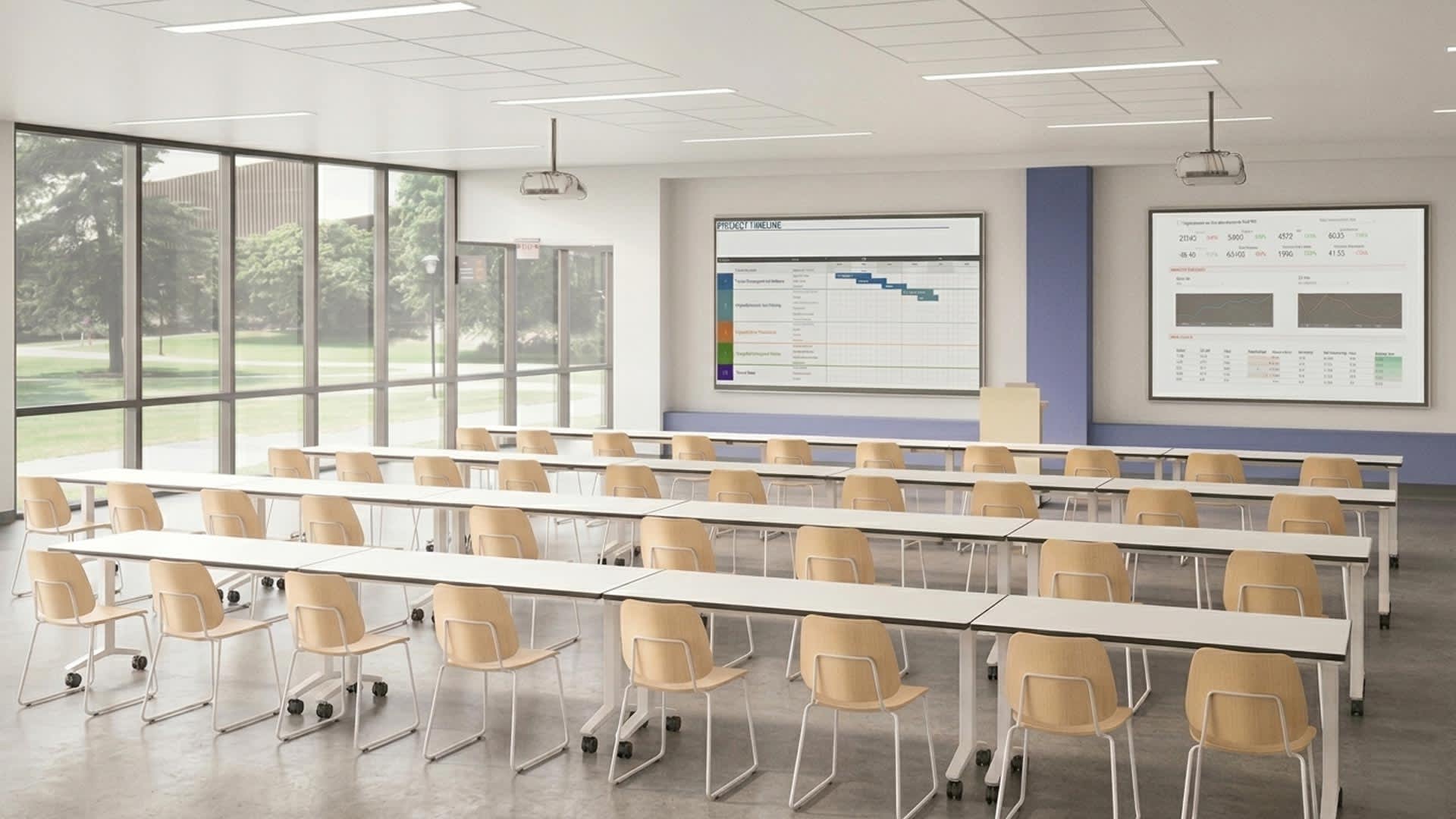
- Keep teaching in the spotlight. Set instructor priority so lectures, board work, and lab demos stay focused even as discussion shifts to students.
- Hybrid that feels inclusive. When remote students speak, show a room view so in‑person learners see the full class context and stay oriented.
- Scales from seminar to auditorium. Use multiple cameras and up to 8 beamforming microphones with the SpeakerVIEW Controller for precise coverage in tiered spaces. Smaller rooms can enable SpeakerVIEW via a free update to EasyIP Mixer and EasyIP Dock.
- Fits the EasyIP ecosystem. Configure through the Vaddio Deployment Tool and run on standard IP networking for straightforward setup and management.
Business and Enterprise
- Meetings that keep pace. From meeting rooms to boardrooms, SpeakerVIEW automatically frames whoever is speaking so the conversation looks professional and stays on track without manual control.
- Better presentations and panels. Priority settings keep attention on the presenter during key moments, while smooth camera switching avoids jarring movement when executives or panelists interact.
- Remote attendees feel in the room. When a remote participant asks a question, SpeakerVIEW can widen the shot to show the room and restore shared context.
- Fits your standards. Integrates with the EasyIP ecosystem and appears to conferencing apps and devices as a standard USB video and audio source, so it works across your preferred platform and room systems without special drivers.

Flexible ways to deploy
Choose the dedicated SpeakerVIEW Controller for larger rooms with up to 8 microphones or to control AV Bridge 2x1, EasyIP Decoder or IntelliSHOT ePTZ. Enable SpeakerVIEW as a free software update if you already have an EasyIP Mixer or EasyIP Dock. Pair with supported Shure MXA920 or MXA910, or Sennheiser TCCM ceiling microphones at launch.


How SpeakerVIEW Works
SpeakerVIEW uses the sound in your room to decide what viewers should see, then makes the right camera move at the right time. It runs a simple loop for every meeting and class.
Hear
Certified beamforming ceiling microphones listen for speech and report where it is coming from in the room. At launch, SpeakerVIEW works with Shure MXA920 and MXA910, and Sennheiser TeamConnect Ceiling Medium TCCM.

Locate
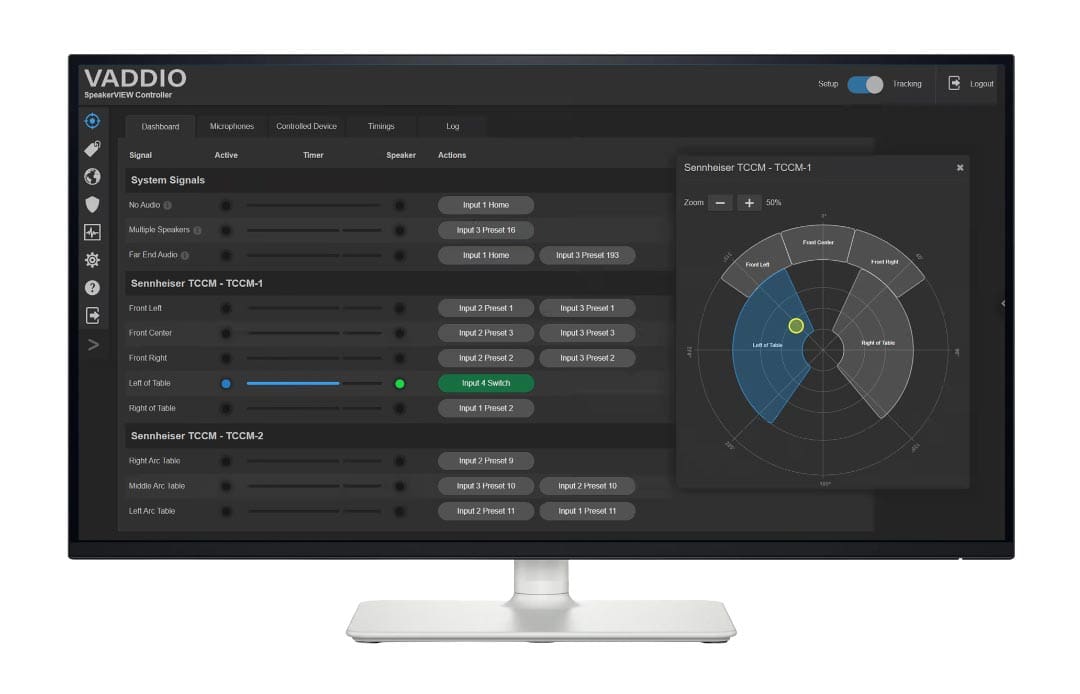
SpeakerVIEW turns each microphone’s location cues into easy‑to‑use signals. Signals can be specific zones on a floorplan, a mic lobe or region, and special system signals like No Audio, Multiple Speakers, or Far End Audio.

Decide
For each microphone signal or system event, you map a clear action that selects the right camera and preset through your Vaddio video switcher. You can assign up to four actions per signal. SpeakerVIEW prefers an off‑screen camera in multi‑camera rooms so remote viewers never see visible pan or tilt on screen. Customizable timing controls (Fill, Empty, Hold) smooth out when cuts happen and keep the conversation natural. Presenter priority and special events like Multiple Speakers or Far End Audio can call a wide shot to include everyone.

Show
When a participant speaks, SpeakerVIEW recalls the programmed preset on the target off‑screen camera, waits for the lens to land, then your Vaddio switcher takes that camera to program for a clean cut. This avoids showing live camera movement and keeps transitions polished for remote and in‑room participants.

Why it feels natural to remote participants
- Smooth, not jumpy. Customizable timing controls prevent rapid repeated cuts and give conversations room to breathe.
- Prefers off‑screen cameras. In multi‑camera spaces, the system selects an alternate camera when possible, so viewers do not see pan or tilt during the switch.
- Understands common moments. Multiple Speakers can trigger a wide shot. Far End Audio can widen to restore context. Silence can return to a clean home or wide shot.
What a typical room includes
-
A SpeakerVIEW brain: either the dedicated SpeakerVIEW Controller driving a Vaddio video switcher for larger or more complex rooms, or SpeakerVIEW running on an EasyIP Mixer or EasyIP Dock via a free software update.
-
A Vaddio video switcher: depending on your video and audio needs choose any of these multi-camera video switchers to deliver the SpeakerVIEW experience over USB to Microsoft Teams, Zoom, Google Meet or your preferred lecture capture software: AV Bridge 2x1, EasyIP Decoder, EasyIP Mixer or EasyIP Dock.
-
Beamforming ceiling microphones from Shure or Sennheiser that provide direction of arrival.
-
Standard IP networking with Dante, PoE+, plus the free Vaddio Deployment Tool for setup and management.
Scales from small spaces to auditoriums
-
SpeakerVIEW Controller supports talker location data from up to 8 beamforming microphones for precise coverage in larger spaces and complex multi‑camera designs.
-
EasyIP Dock + SpeakerVIEW supports up to 4 microphones for talker location and Dante audio and an additional 4 EasyIP cameras for large sized rooms.
-
EasyIP Mixer + SpeakerVIEW supports up to 2 microphones for talker location and Dante audio and an additional 5 cameras (4x EasyIP + 1x HDMI) for medium sized meeting rooms or classrooms.
Learn More
More details on SpeakerVIEW can be found in these additional resources: